

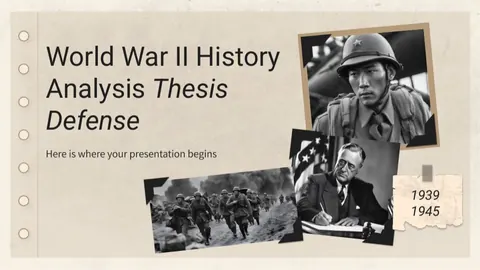
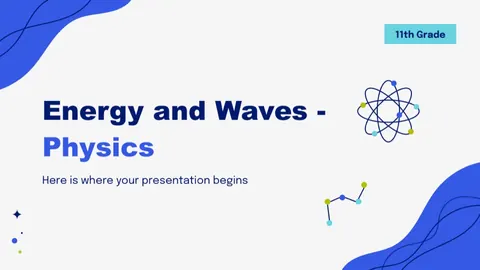
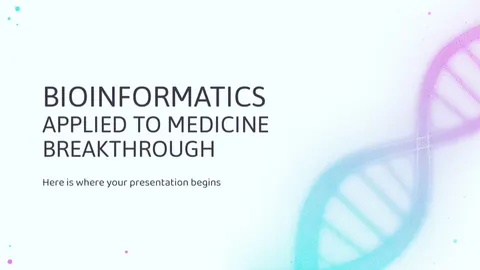
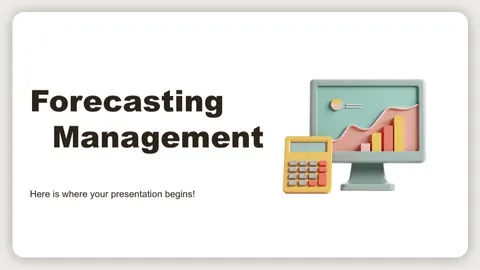

Building a presentation by hand usually takes hours: researching, outlining, writing every slide, hunting for images and keeping the design consistent. Aqlly is a Telegram bot, @aqllyrobot, that hands most of that work to AI. You enter a topic, the number of slides and the language, pick a template, and a finished presentation arrives in the chat as a PDF in about 1–3 minutes.
This page explains how the service works, what exactly you get, what it costs and how to get better results.
What the Aqlly presentation maker is
It is an AI slide generator that turns a topic into a complete deck with structured text and images. It was built for school pupils, college and university students and teachers in Uzbekistan and Central Asia, but anyone who needs a quick, clean presentation can use it. There is no website sign-up and nothing to install — it all runs inside Telegram.
Key features:
- 5 to 15 slides — enough for a lesson, a seminar or a short defense.
- 100+ professionally designed templates in 15 subject categories, with dark and light themes.
- Content in three languages — Uzbek, Russian or English, chosen separately for each presentation.
- Images included — the AI adds pictures that match the topic.
- PDF output — easy to open on a projector, print or send to a teacher.
What you get: the structure of a deck
Aqlly does not just dump text onto slides; it builds a presentation with a clear flow. A typical 10-slide deck looks like this:
| Slide | Type | Content |
|---|---|---|
| 1 | Title slide | Topic and author name |
| 2 | Agenda or introduction | What the talk will cover |
| 3 | Section slide | First major section heading |
| 4–5 | Content slides | Key concepts and facts, with images |
| 6 | Section slide | Second section |
| 7–8 | Content slides | Examples, analysis, applications |
| 9 | Quote slide | A relevant quote or key takeaway |
| 10 | Closing slide | Summary and "Thank you for your attention" |
With a different slide count, the number of sections and content slides changes, but the introduction → main body → conclusion logic stays the same.
How to create a presentation in the bot, step by step
- Open @aqllyrobot in Telegram and tap /start.
- Choose the interface language: Uzbek, Russian or English.
- Pick Presentation from the services menu.
- Type your topic. Be specific: not "Photosynthesis" but "Photosynthesis and its role in plant life".
- Choose the number of slides, from 5 to 15.
- Choose the language of the presentation.
- Enter the author name for the title slide.
- Pick a template in the visual picker, filtered by subject, dark or light.
- The bot shows the price — confirm it.
- Wait 1–3 minutes. The PDF arrives in the chat and is also saved under "My files".
Templates for every subject
Templates are grouped into 15 categories: Mathematics, Physics, Chemistry, Biology, History, Geography, Literature, Economics, Marketing, Law, Medicine, Psychology, IT & programming, Sports & health, and General. A mathematics presentation can use a clean, formula-friendly design, while an IT presentation can use a modern dark theme. Browse them all on the templates page.
Topic examples: weak vs strong
The AI works from what you type, so the wording of the topic directly shapes the slides.
| Weak topic | Stronger topic |
|---|---|
| Water | The water cycle and its effect on climate |
| Amir Temur | How Amir Temur's state was governed |
| Marketing | Social media marketing strategy for small businesses |
| Pythagoras | The Pythagorean theorem: proofs and everyday uses |
| Python | Variables and data types in Python |
A good topic answers three questions: what, which aspect and for whom. Adding the level helps too — "for 8th graders" or "for first-year economics students".
Who it is for
- School pupils — slides for a lesson, class hour or project.
- College and university students — seminars, independent work defenses, group projects.
- Teachers — slides to introduce a new topic or run an open lesson.
- Professionals — a short talk or internal update when time is tight.
Presentation pricing
| Slides | Price |
|---|---|
| 5–10 slides | 3,000 UZS (so'm) |
| 11–15 slides | 5,000 UZS (so'm) |
New users receive a 3,000 so'm welcome bonus, which covers one presentation of up to 10 slides — so your first deck is effectively free. You top up your balance inside the bot with Payme or Click. There is no subscription: you only pay for the documents you create. Prices are as of November 2026 and may change; the bot always shows the exact price before you confirm. See all services on the pricing page.
Tips for a better result
- Make the topic specific. Add the angle and the audience; the content becomes deeper and more relevant.
- Match slide count to your time slot. Roughly one slide per minute: 7–8 slides for a 5–7 minute talk, 10–12 for ten minutes. More in how many slides you need.
- Choose a template for the room. Light themes work well in bright classrooms; high-contrast designs help with weak projectors.
- Read the PDF before you present. Check dates, figures and facts against a textbook or another reliable source.
- Prepare what you will say. Slides support you; you do the talking. See how to deliver a presentation.
Aqlly vs doing it manually vs a general chatbot
| Criterion | Manual (PowerPoint etc.) | General AI chatbot | Aqlly |
|---|---|---|---|
| Time | Several hours | Text is fast, but you build slides yourself | 1–3 minutes |
| Design | Your job | Usually text only | 100+ ready templates |
| Uzbek language | You write it | Quality varies | Uzbek, Russian, English |
| Images | You search for them | Usually none | Added automatically |
| Output | PPTX file | Text in a chat | Ready-to-use PDF |
| Payment | — | Often foreign card or subscription | Payme/Click in so'm, no subscription |
Doing it by hand gives you full control. General chatbots are good at writing text, but designing slides and exporting a file is still on you. Aqlly combines these steps into one flow. For a deeper look, read Aqlly vs ChatGPT or our comparison of AI presentation tools.
An honest note on academic use
A presentation from Aqlly is a draft and a time-saver, not a substitute for your own understanding. Before you submit or present it, read it, verify the facts, add your own examples and conclusions, and follow your school's or university's rules. If you understand the material, you will also handle questions after your talk with confidence. More in our guide on using AI ethically for study.