

Computer science is a core school subject, and IT and programming form the backbone of technical universities and IT colleges. Because technology changes so fast, finding a fresh, interesting topic for a talk can be harder than it looks. Below are specific topics for school and university, essay and independent work ideas, and tips for explaining technical ideas clearly.
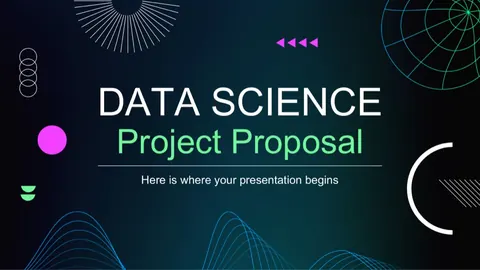
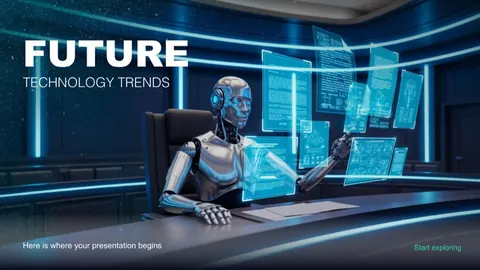
Above this text you can see Aqlly's ready IT and programming templates — dark and light designs with a tech feel. Enter your topic, pick a template, and the AI does the rest.
IT and computer science presentation topics
Computer basics (school level)
- Main components of a computer
- Information and its units: bit, byte, megabyte
- Number systems: binary, octal, hexadecimal
- Operating systems: Windows, Linux, macOS, Android
- What an algorithm is and its properties
- Designing algorithms with flowcharts
- History of computing: from the abacus to supercomputers
- Al-Khwarizmi and the origin of the word "algorithm"
- Working with files and folders
- Spreadsheets: what Excel can do
Programming
- Python: strengths and real-world uses
- Variables and data types
- Conditionals and loops
- Object-oriented programming (OOP) basics
- Web development: HTML, CSS and JavaScript
- Building mobile apps
- Git and version control
- The software development life cycle
- Frontend vs backend
Networks and the internet
- How the internet works
- Types of networks: LAN and WAN
- IP addresses and DNS
- Wi-Fi and 5G technologies
- Cloud computing
- The Internet of Things (IoT)
- Email and messenger security
Cybersecurity
- Cybersecurity fundamentals
- Phishing and online scams: how to protect yourself
- Strong passwords and two-factor authentication
- Computer viruses and antivirus software
- Protecting personal data
- Introduction to cryptography
Emerging technologies
- Artificial intelligence: history, potential and risks
- Machine learning and neural networks
- Big Data
- Blockchain technology
- Virtual and augmented reality (VR/AR)
- Robotics
- Quantum computers
- E-government and digital public services
- Databases and SQL
Essay and independent work topics
- The role of artificial intelligence in education
- The growth of the digital economy in Uzbekistan
- E-government systems and public services
- Cybercrime and how to fight it
- Python in scientific computing
- Stages of database design
- Pros and cons of cloud computing
- Trends in the mobile app market
- Blockchain and cryptocurrencies
- IoT in smart home systems
- A classification of machine learning algorithms
- Website security
- A comparative analysis of operating systems
- Open-source software
- Digital literacy and why it matters
- Computer graphics and design software
- Online learning platforms
- Algorithm complexity and Big O notation
- Personal data protection laws
- Al-Khwarizmi's influence on mathematics and computing
- Robotics in industry
- The ethics of artificial intelligence
Tips for a strong IT presentation
- Make complex ideas simple. Analogies like "the internet is a network of roads between cities" beat formal definitions.
- Keep code short. No more than 5–8 lines per slide, in a large monospaced font.
- More diagrams, less text. Show network architecture or an algorithm as a flowchart.
- Show relevance — where the technology is used today (banking apps, online services, marketplaces).
- Define jargon: API, IoT, cloud — a one-line definition the first time.
- Check your statistics. Tech numbers go stale quickly; cite the source and year.
- End with a demo or example: the output of a small program or a screenshot.
- For security topics, give a checklist — e.g. how to strengthen your password.
Not sure about length? Read how many slides you need.
Sample 10-slide outline
Topic: "Cybersecurity fundamentals"
| Slide | Content |
|---|---|
| 1 | Title: topic, author, group |
| 2 | Why it matters: digital services in everyday life |
| 3 | What cybersecurity is: key concepts |
| 4 | Main threats: phishing, malware, password theft |
| 5 | How to spot a phishing message (with an example) |
| 6 | Rules for strong passwords |
| 7 | How two-factor authentication works |
| 8 | Smartphone and Wi-Fi security |
| 9 | A daily digital hygiene checklist |
| 10 | Conclusion and references |
This outline fits a 7–10 minute talk. See also our guide on making an outline.
How to create an IT presentation in Aqlly
- Open @aqllyrobot in Telegram and press /start.
- Choose the presentation service and type your topic, e.g. "Cybersecurity fundamentals".
- Set the slide count (5–15), language and author.
- Pick a template from the IT & Programming category.
- Your PDF is ready in 1–3 minutes.
For a referat-style essay or independent work, choose DOCX so you can easily add your own code samples.
See also: mathematics, physics, general topics.